
We care about your privacy
By using cookies and related technologies (e.g. pixels, SDK), as well as by processing your personal data (including unique identifiers, browser data), we can better adapt the displayed content to your needs.By giving your consent to the storage of information on your terminal equipment, and to the access and processing of data, including in the sphere of profiling as well as market and statistical analysis, you will easily find exactly what you are searching for and what you need on Allegro. The controller of your personal data will be Allegro or, in certain cases, our partners (17 partners), including "IAB Europe Trusted Partners" (9 partners). Information about the purposes of personal data processing by our partners can be found in their privacy policies.
We and our partners may process personal data for the following purposes:
Store and/or access information on a device. Personalised advertising and content, advertising and content measurement, audience research and services development. Ensure security, prevent and detect fraud, and fix errors. Deliver and present advertising and content. Save and communicate privacy choices. Match and combine data from other data sources. Link different devices. Identify devices based on information transmitted automatically.
Your personal data are also processed to make it easier for you to use our web pagesThe purposes of processing are described in detail in the settings under "CHANGE MY CONSENTS" and in the Cookie Policy.Your consent is voluntary and is valid for 12 months. You may withdraw it at any time or renew it in the Cookie settings on the home page. Withdrawal of your consent does not affect the lawfulness of processing performed before the withdrawal.
Rules for images in the gallery and in descriptions
The purpose of images is to present the offered product thoroughly and in detail. They should be available on every device so that buyers can easily get familiar with the offer.
Large, clear images will better present your offer to buyers. They will also be easier to view on any device — including devices with smaller screens.
The basic rules
- All images have a minimum size (the length of the longer side should be a minimum of 500 pixels).
- You cannot place texts or logos in the images (with exceptions).
- You can add the following number of images:
- on a regular account — 10 images
- on a business account:
- in all categories except classifieds — 16 images
- in a classified — 40 images.
- An image should not contain:
- text
- your logo.
- The image can contain:
- the product you sell
- the product packaging
- logos of brands, products, technologies
- color and pattern markings
- certificates and symbols
- graphic elements, for example, a close-up, a cross-section, operating principles, arrows
- numbers
- any background.
There may be exceptions from the rules for images in the gallery and descriptions resulting from agreements with authorized distributors.
How to prepare an image correctly
- Image minimum size — a minimum of 500 pixels (the longer side)
- Image maximum size — 2560 x 2560 pixels. On Allegro, you can upload images with a maximum resolution of 26 Mpx. We will proportionally scale images with a side longer than 2560 pixels to fit the 2560x2560 size.
- Images can have any proportions —a rectangle with any proportions of 1:1, 4:3, 16:9, or others.
- Images can be saved in the JPG, JPEG, or PNG format. If you list through the API or from the file, we also accept the WEBP format.
- If you want to maintain full color fidelity — do not use other color profiles than the sRGB profile.
Examples
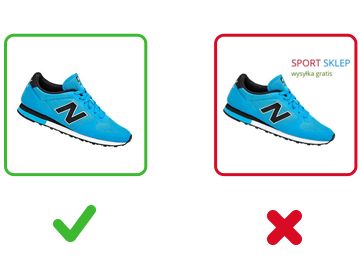
- You can use any background color. The image should present the product accurately.
- Do not add any text, such as the name or logo of the store or order processing information.
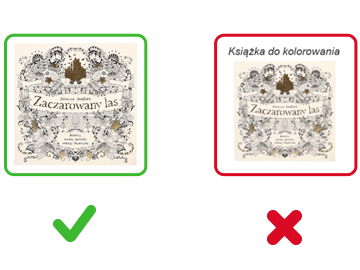
- You can show text on the product or the original packaging.
- Do not add any text informing about product features.
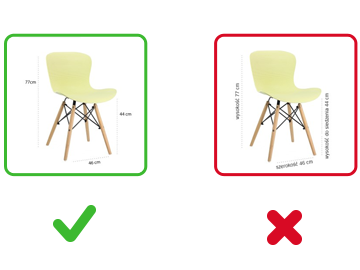
- You can describe the product dimensions with figures and units of measurement.
- Do not add any descriptions of the height or length. Present such information graphically.
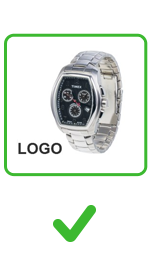
- You can add the brand logo of the original products.
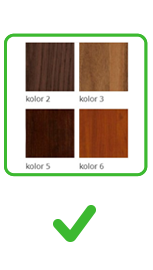
- You can show colors with names.
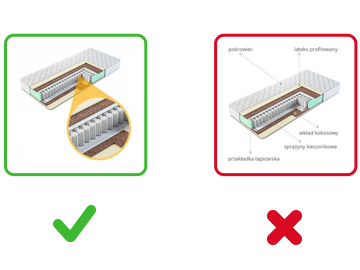
- You can apply graphic elements, such as a close-up.
- Do not describe the product structure (you can add the blueprint as an attachment).

- You can place numbers in images.
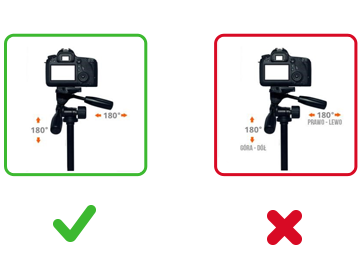
- You can graphically show product operation.
- Do not describe product operation.

- You can show certificates or markings if they are part of the product.
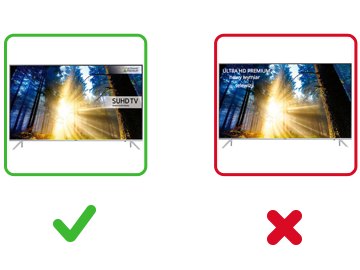
- You can show an image of the product with the label visible or a close-up of the label.
- Do not add any tables that are not on the product.
- You can present logos of the technologies used in the product.
- Do not include descriptions of technologies.
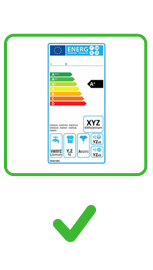
- You can add certificates, markings required by law, for example, markings for electrical devices.
How to prepare infographics correctly
An infographic presents a product using graphics, text, and data. You can use it to convey complex information in a simple visual form.
You can only use infographics if you have access to the BrandHub tab in Sales Center. We are currently inviting only selected sellers to access it.
What are the basic rules for infographics
- An infographic should explain how the product looks, works, and what features it has.
- It must comply with our rules, including intellectual property and copyright laws.
- It must not contain marketing content, information about the seller, or information regarding the manufacturer’s warranty.
It should depict product characteristics included in the:
- offer parameters
- offer title
- offer description.
An infographic cannot be used as a thumbnail.
You can add ready-made materials directly from the Allegro Product Catalog when listing an offer. All infographics come directly from official brands and manufacturers. You cannot create them yourself. If you cannot find an infographic for the selected product, it means you cannot add one.
Good practices
Before adding an infographic, make sure it meets all the guidelines.
Composition and background
- The product is in the foreground.
- The background is uniform.
- Product features are presented logically — starting with the main heading, followed by key points, and ending with a summary.
Readability and simplicity
- Text is limited to short captions, bullet points, and parameters.
- There are no long blocks of text or complex sentences.
- Fonts are simple and clean.
Visual appeal
- The infographic is visually consistent.
- Color palette, icons, and line stroke are all in the same style.
- The infographic does not contain too many elements.
Availability
- The colors are contrasting.
- Information is not conveyed by color alone (for example: the most important information is in the green box) — otherwise, the image will not be accessible to visually impaired people.
- All data from the infographic (for example: dimensions, materials, specifications) is also included as text in the offer description.
Examples
Examples of correct infographics:
- showcase key product features
- present information in a logical order
- have contrasting colors.
Examples of incorrect infographics:
- have a non-uniform background
- contain too many elements
- introduce visual noise.
appearance: light theme
